
What Happens When the Person Who Runs Admissions Leaves
In most schools the admission process lives in one person's head. Here is what that costs, and why it is a records problem rather than a staffing one.

Read article

Class Scheduling. Coordinate. Follow through.
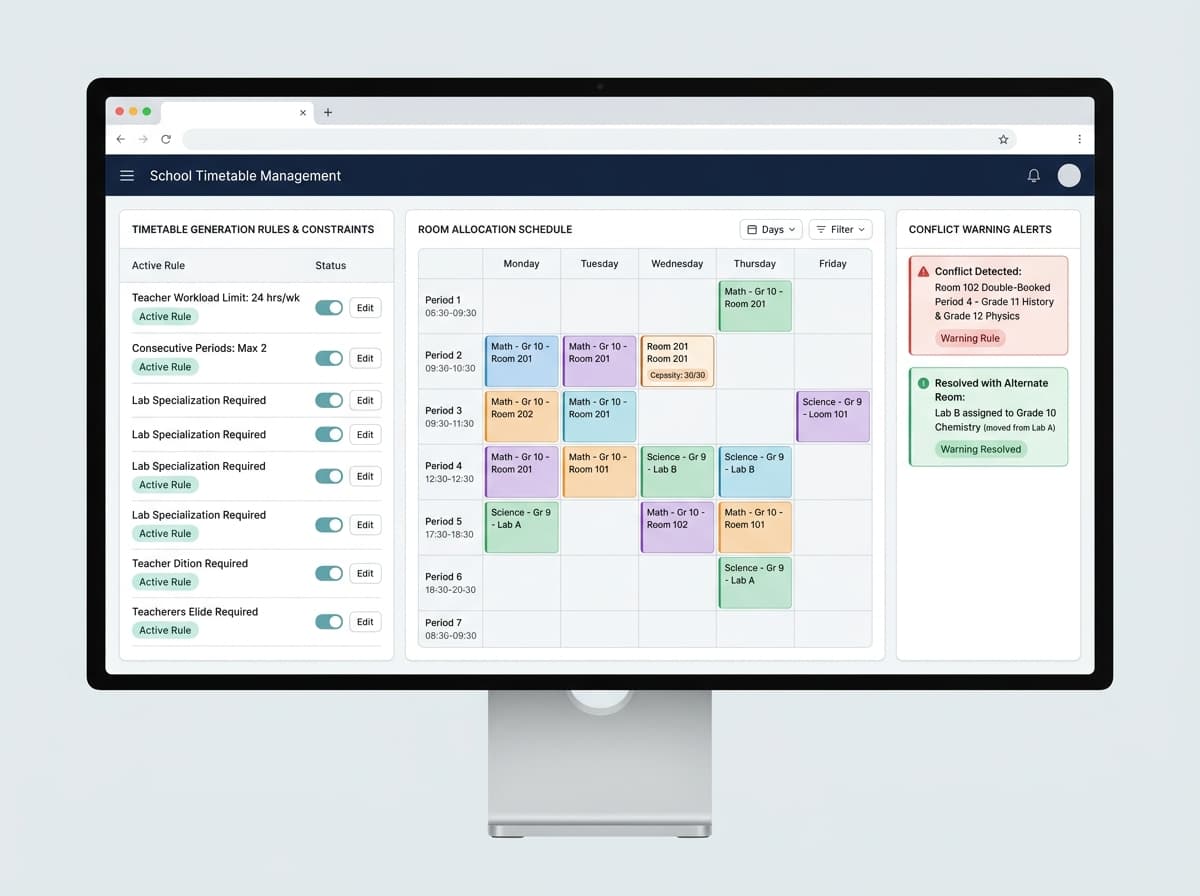
A school timetable must balance classes, teacher availability, subject periods, rooms and special sessions. When schedules are maintained across spreadsheets or printed versions, a small adjustment can create conflicting copies and repeated clarification. Timetable software can centralise planning when its rules match the school’s actual constraints.

A school timetable must balance classes, teacher availability, subject periods, rooms and special sessions. When schedules are maintained across spreadsheets or printed versions, a small adjustment can create conflicting copies and repeated clarification. Timetable software can centralise planning when its rules match the school’s actual constraints.
When a period changes, can you identify affected classes and teachers and ensure everyone has the current timetable?
A useful school timetable management software workflow should make class scheduling easier to manage while keeping ownership, current status and the next action visible. The eight modules below define the page structure. Confirm each capability against the actual Pegatto product configuration before publication.
Define a consistent workflow for class and section planning, including required information, responsible role, status definitions and exception handling. Verify available fields, permissions and reporting options before describing this as a product feature.
Define a consistent workflow for teacher assignment, including required information, responsible role, status definitions and exception handling. Verify available fields, permissions and reporting options before describing this as a product feature.
Define a consistent workflow for subject period allocation, including required information, responsible role, status definitions and exception handling. Verify available fields, permissions and reporting options before describing this as a product feature.
Define a consistent workflow for conflict review, including required information, responsible role, status definitions and exception handling. Verify available fields, permissions and reporting options before describing this as a product feature.
Define a consistent workflow for room and lab scheduling, including required information, responsible role, status definitions and exception handling. Verify available fields, permissions and reporting options before describing this as a product feature.
Define a consistent workflow for substitution and change records, including required information, responsible role, status definitions and exception handling. Verify available fields, permissions and reporting options before describing this as a product feature.
Define a consistent workflow for timetable publishing, including required information, responsible role, status definitions and exception handling. Verify available fields, permissions and reporting options before describing this as a product feature.
Define a consistent workflow for schedule review, including required information, responsible role, status definitions and exception handling. Verify available fields, permissions and reporting options before describing this as a product feature.
Access class, student, schedule or assessment information relevant to assigned responsibilities and record updates consistently.
Review available operational information, set priorities and follow up on unresolved work using agreed definitions and current records.
Access class, student, schedule or assessment information relevant to assigned responsibilities and record updates consistently.
Maintain relevant records, coordinate routine tasks and route requests to the right owner instead of relying on informal hand-offs.
Find clear, current instructions and receive consistent answers when the institution maintains accurate records and follow-up ownership.

Practical strategies, case studies, and insights from our education technology specialists.
In most schools the admission process lives in one person's head. Here is what that costs, and why it is a records problem rather than a staffing one.

Report cards are assembled rather than generated in most schools. That distinction explains why one week each term consumes everything else.

Most calls to a school office are questions the school has already answered. Here is why they keep arriving and what changes when parents can see for themselves.
Walk through your current class scheduling and teacher allocation process with Pegatto. Use real examples, common questions and hand-offs to confirm which workflows are supported and where a different process may be needed.
We’ll review your current process and confirm which workflows are supported in the proposed setup.